Personal Safety Alarm for the Elderly: A Guide for Relatives
Which type fits best? Compare 4G alarms, smartwatches and Bluetooth buttons – and what research says about safety and falls.

Around one in three people over 65 has at least one fall a year, and although only about 10 % of all falls lead to serious injuries, these account for roughly 20-30 % of all injury-related hospital admissions.[1] A personal safety alarm is about being able to call for help quickly if it happens.
When searching for a personal safety alarm for an elderly parent, it is easy to get lost in brands and data sheets. But beneath the surface, there are really only three fundamental types on the market — and the difference between them determines battery life, monthly cost, and who actually receives the alert.
1. The 4G alarm with a monitoring centre
A dedicated alarm device (button or pendant) with a built-in SIM card. It calls a staffed monitoring centre that assesses the situation and dispatches help — relatives, home care, or an ambulance.
This is the most common solution on the market today. Most municipal safety alarms work this way, and most commercial alternatives follow the same pattern.
Typical: rechargeable battery, monthly subscription including SIM and monitoring centre, the alarm goes to the monitoring centre, which dispatches help.
2. Smartwatch-based alarms (Apple Watch etc.)
A standard smartwatch with a built-in SOS function or an alarm app. The watch uses either its own Cellular connection or a paired phone to send the alert.
The advantage is that the watch looks like a regular watch and is discreet. The downside is that it needs to be charged, and the alarm function is part of a general consumer product rather than a dedicated device.
Typical: rechargeable battery, a watch with its own mobile subscription or a paired phone.
3. The Bluetooth button that calls relatives directly
A small physical button on a keyring, pendant, or wristband. It pairs with a smartphone that is either carried by the user or kept at home, and forwards the alert directly to the relatives the family has chosen.
This is the least well-known type. Because the button itself is only a transmitter (Bluetooth, no 4G or SIM), the battery lasts for years, and there is no separate SIM subscription for the button.
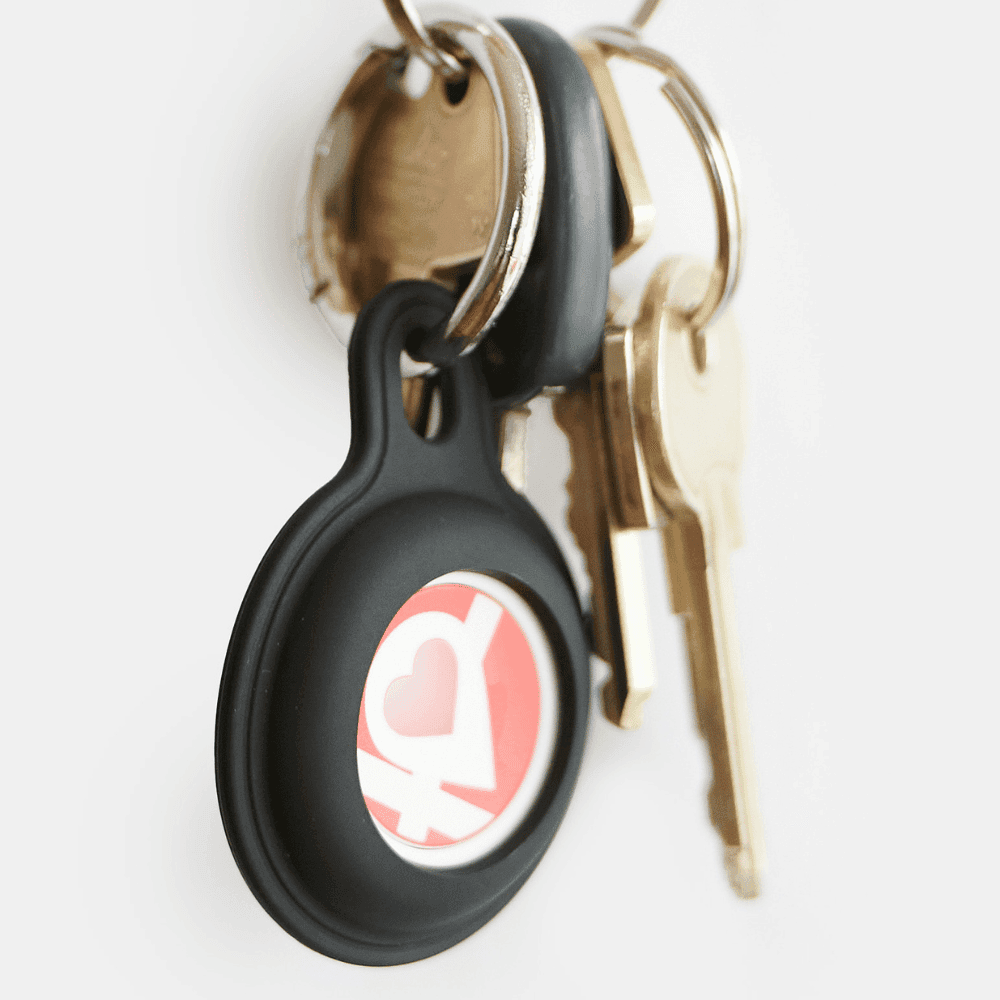
Typical: battery life up to 3 years (coin cell), one subscription per user (relatives join for free), alert goes directly to relatives.
The 3 alarm types at a glance
4G alarm with monitoring centre
- Battery
- Rechargeable battery
- Subscription
- Monthly subscription incl. SIM and monitoring centre
- Who receives the alert
- Monitoring centre assesses and dispatches help
Smartwatch (Apple Watch etc.)
- Battery
- Rechargeable battery
- Subscription
- Watch with its own mobile subscription or a paired phone
- Who receives the alert
- SOS function or alarm app — depends on the watch
Bluetooth button for relatives
- Battery
- Up to 3 years
- Subscription
- One subscription per user, relatives join for free
- Who receives the alert
- The relatives the family has chosen
The most important difference: who receives the alert?
The 4G alarm (type 1) is built around a monitoring centre and works anywhere with mobile coverage. Help is relayed by an operator who assesses the situation and alerts relatives or an ambulance.
The Bluetooth button (type 3) is built around relationships. It requires the phone to be nearby — but in return the battery lasts for years, and the alert goes directly to the family who know the user.
Everyday peace of mind is not a by-product of an alarm; for many families it is a large part of the purpose.
Which type suits your situation?
- Lives alone without nearby family: a 4G alarm with a monitoring centre is usually the most robust choice.
- Active older adult, comfortable with technology: a smartwatch can work, but needs charging.
- Lives with or close to family: a Bluetooth button is simpler and more personal — with no daily maintenance.
At Linucare, we have chosen the Bluetooth path. Not because it suits everyone, but because it solves what most families actually need: one press that reaches the people you know. You choose who receives the alert, the button has no SIM card, and it does not need daily charging.
See the Linucare button →Read more about safety for the elderly →
[1] Lægehåndbogen (the Danish medical handbook), sundhed.dk: Falls and tendency to fall in older adults, section on prevalence (in Danish), sundhed.dk