Always an active safety net.
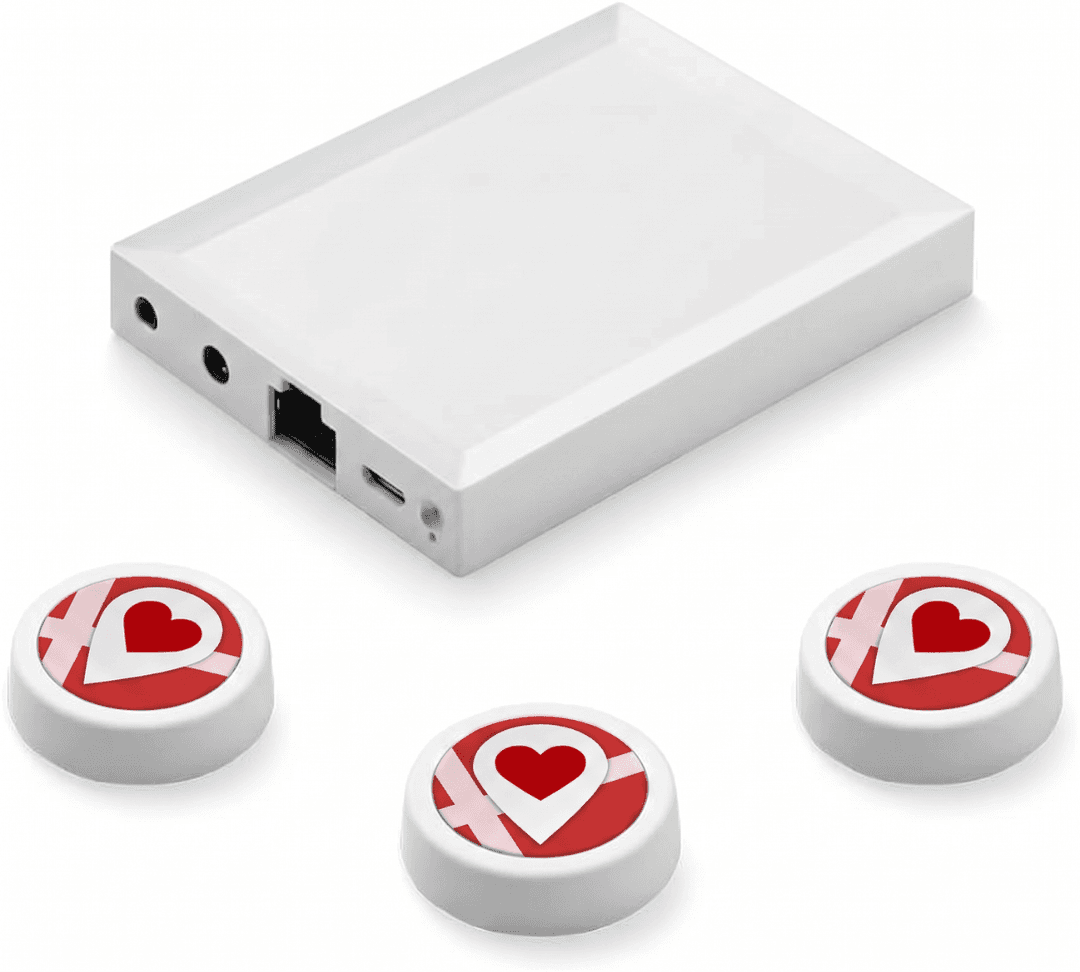
The Linucare Hub is a stationary gateway that receives alarms directly from Linucare's Bluetooth devices – without depending on the employee's phone being nearby, charged, or switched on.
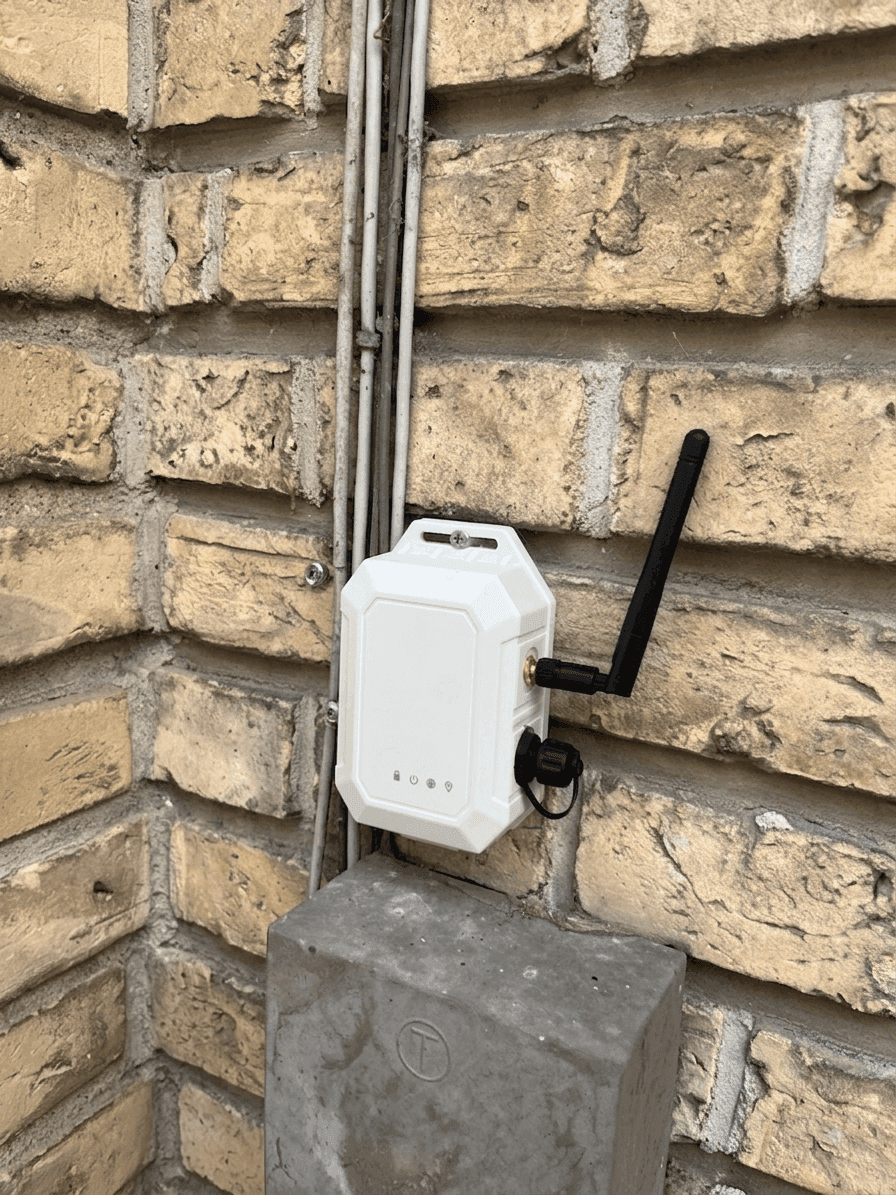
Linucare SIM hub – online via the mobile network
The Linucare SIM hub gives you the hub's benefits without requiring WiFi or wired networking. The built-in cellular connection uses NB-IoT, among other standards, and is online anywhere with mobile coverage.
Plug in the power, and the hub is online right away – no network configuration, no IT approvals and no SIM card to insert. Its rugged build also makes it suitable outdoors and in temporary setups.
Technical specifications
- Built-in cellular connectivity (including NB-IoT and LTE-M) – no WiFi needed
- Ready out of the box – plug in the power, and the hub is online
- Backup battery keeps the hub running for up to 3 days during a power outage
- IP67-rated for indoor and outdoor use, from -20 °C to 60 °C
- Unlimited buttons with a range of up to 100 m
Which hub fits your needs?
Both receive alarms from the Linucare buttons and forward them to your designated recipients – the difference is the connection.
Linucare Hub
- Connects via WiFi or ethernet
- Optional SIM card as backup
- For fixed, indoor environments with a stable network
Linucare SIM hub
- Built-in cellular connectivity (including NB-IoT)
- No network configuration – ready out of the box
- For places without stable WiFi – including outdoors and temporary setups
An extra layer of security
The Linucare Hub is built for environments where safety can't depend on an employee's phone. It acts as a local, always-on Bluetooth receiver that picks up alarms from Linucare's buttons and forwards them directly to the recipients you have designated.
In healthcare and care especially, we see a growing need for a solution where the alarm buttons aren't tied to the individual's phone – it reduces false alarms and ensures help arrives, even if the phone has been left at the office.
The hub monitors its own connection and automatically sends a notification if contact is lost. With optional SIM backup, alarms keep flowing over the mobile network if Wi-Fi or ethernet should fail.
Together, this delivers a markedly safer and more reliable solution than a phone-only setup – an extra safety net that is always on guard.
.png&w=3840&q=75)
How it works in practice
A typical Linucare Hub setup in a care environment.
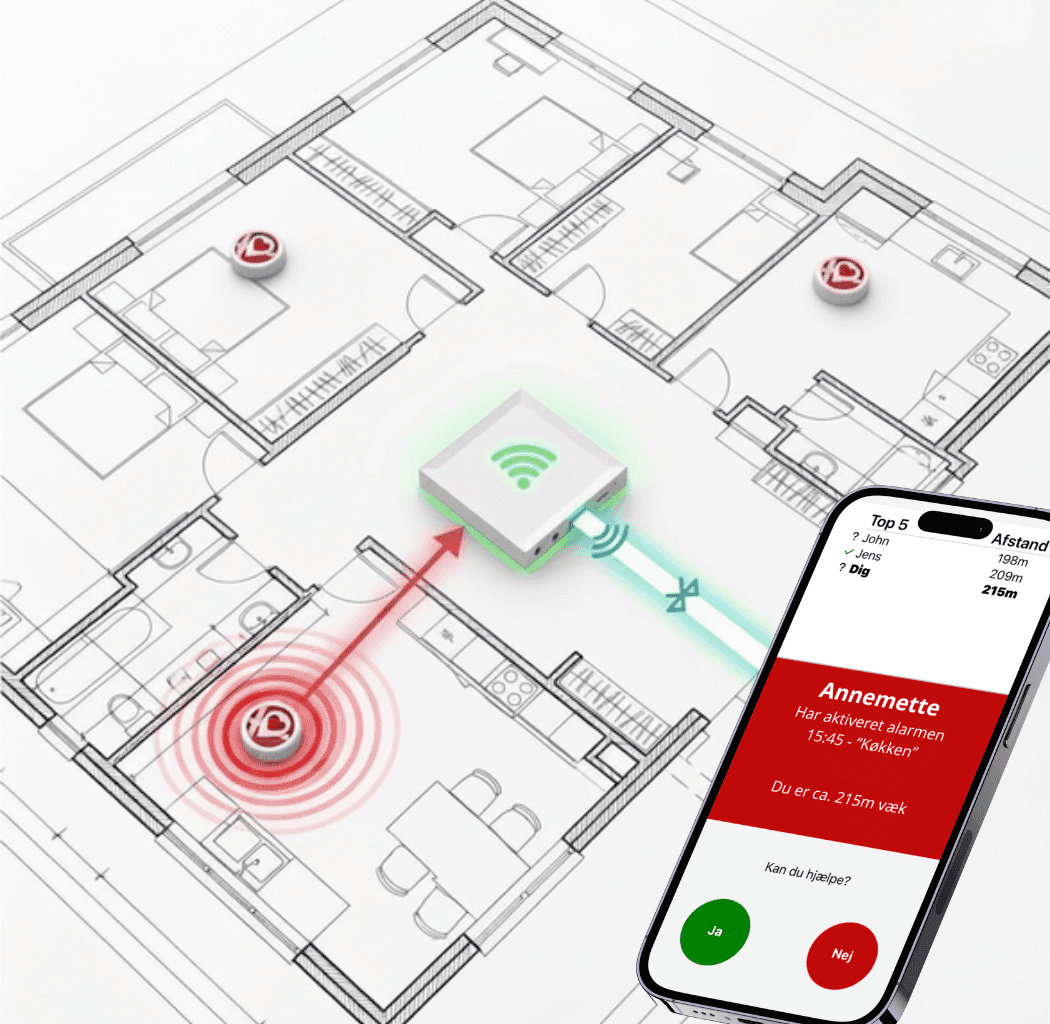
Illustration of the Linucare Hub in use in a care environment.
When an employee presses a Linucare button anywhere in the building, the Linucare Hub picks up the signal and forwards the alarm to the designated colleagues' phones, so the nearest can respond fastest.
The alarm contains precise information about who is calling for help, where, and when. Colleagues can confirm with a single tap that they are on their way, so there is no doubt about who is responding.
Technical specifications
- Connects via Wi-Fi
- Ethernet port for wired network
- Optional SIM card as backup
- Up to 100 m range (signal may be reduced indoors)
Why choose Linucare Hub?
Always on
No dependency on the employee's phone. The hub is stationary and always active 24/7.
Automatic connection watchdog
The hub continuously monitors its own connection and notifies you if it loses contact.
Optional SIM backup
Insert a SIM card and keep the alarm signal live even if Wi-Fi or ethernet fails.
Frequently asked questions
Quick answers to the questions we get most often about the Linucare Hub.
Ready for always-on safety?
Book a demo and see how the Linucare Hub can strengthen your readiness.
Contact us