Alarm on Apple Watch: Safety on Your Wrist
With a shortcut on Apple Watch you quickly open the Linucare app from the watch and activate the alarm — your own network is alerted instantly with live GPS.

Safety on your wrist doesn't have to be complicated. With Linucare on Apple Watch you open the app with a shortcut directly from the watch and activate the alarm — and your own network is alerted instantly with live GPS. Help comes from people you know and trust.
Here is an honest overview: how the Linucare alarm works together with Apple Watch, what the watch's own built-in fall detection can do — and when a dedicated personal alarm like the Linucare safety button is the better choice, for example for elderly people who don't want to charge a watch every day.
How does Linucare work on Apple Watch?
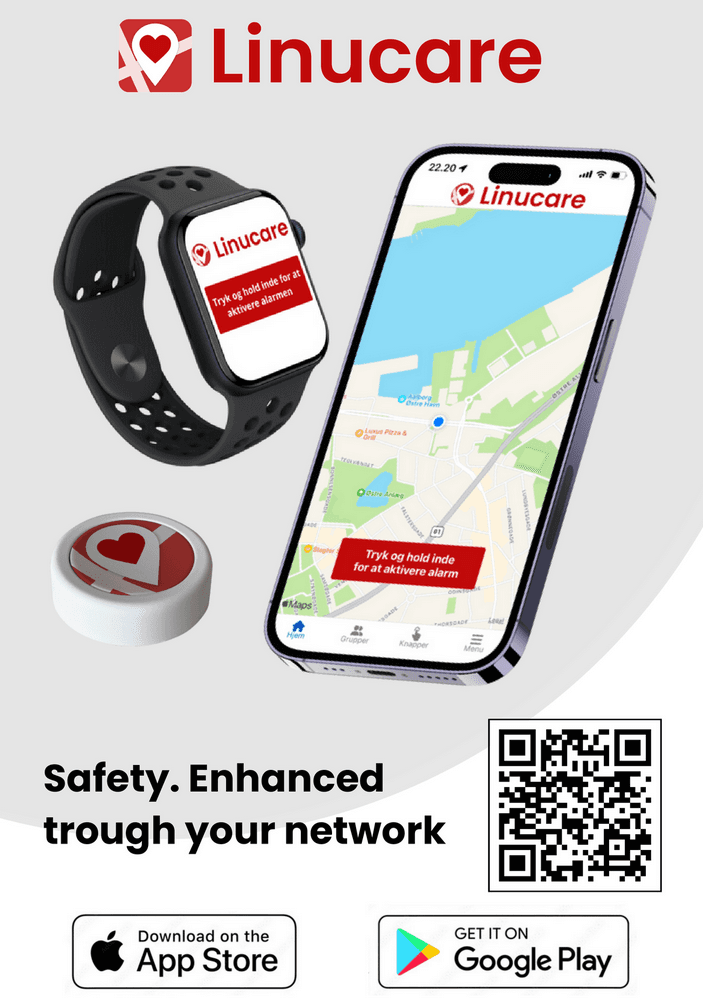
Linucare on Apple Watch works via a shortcut: you quickly open the Linucare app from the watch and activate the alarm inside the app. Once the alarm is activated, your chosen network — for example your spouse, children or a neighbour — is alerted immediately and can see your position with live GPS, so they know exactly where to go.
- The alarm gets through — recipients get a loud alarm tone, even when their phone is on silent or "do not disturb".
- Live GPS — helpers can navigate directly to your position.
- Overview — the app shows who has seen the alarm and agreed to help.
- Contact along the way — group calls and chat while help is on the way.
- Three alarm levels — low, medium and high priority, so recipients can see straight away how urgent it is.
If the first recipient doesn't answer within 30 seconds, Linucare automatically forwards the alarm to the next person in your network.
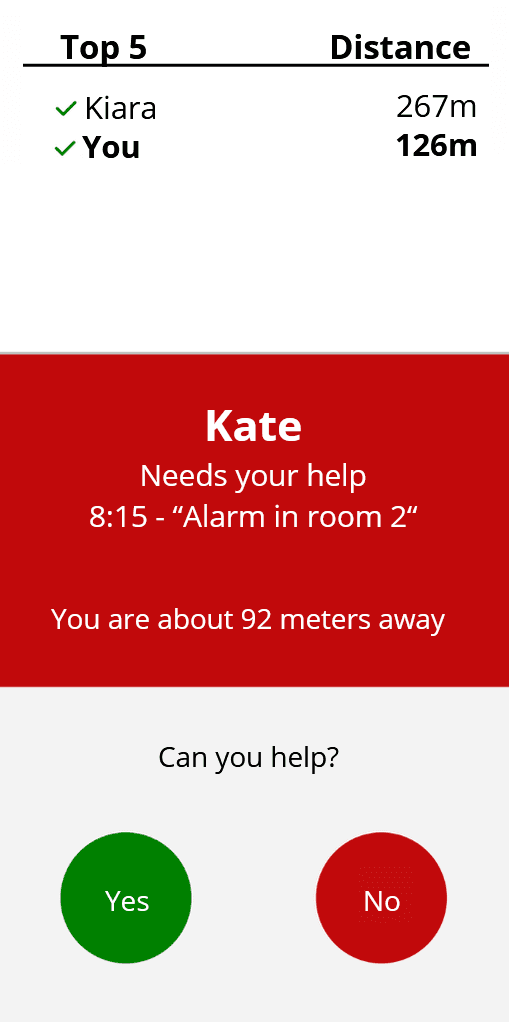
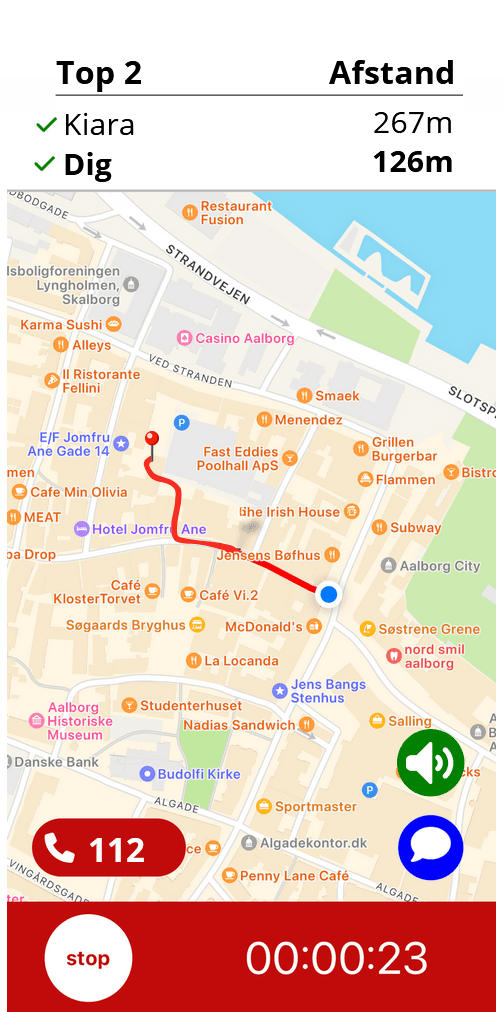
Linucare is not a monitoring centre: there is no operator between you and the help. The alarm goes directly to the people you have chosen yourself, and you can have an unlimited number of contacts and groups in your network. The app works anywhere there is a Wi-Fi or 4G connection.
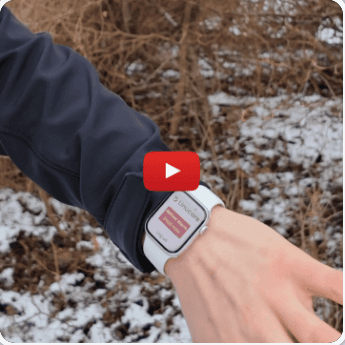
See how the alarm is activated from Apple Watch
What can Apple Watch do on its own — and what does Linucare add?
Apple Watch has its own built-in fall detection. On Apple Watch SE, Series 4 or later, and Apple Watch Ultra, the watch can detect a hard fall — and if you have been immobile for about a minute, it can automatically call emergency services, provided the relevant settings are enabled on the watch.[1] Linucare adds what the watch doesn't have: an alarm that goes directly to your own network with live GPS.
It is important to understand the difference: you always activate the Linucare alarm yourself — it is not triggered automatically by the watch's fall or heart-rate sensors. The watch's automatic fall detection is Apple's own feature and calls emergency services, not your Linucare network.
The two work well side by side. Apple's fall detection with automatic emergency calling is the ultimate safety net if something serious happens. The Linucare alarm is your direct line to your own people in all the situations where you need help from someone who knows you: feeling unsafe on a walk, needing a hand at home — or a situation where you would rather reach your daughter than emergency services.
When is the watch enough — and when is the safety button better?
Apple Watch suits you best if you already wear the watch every day and are used to charging it. For elderly people who want a simpler solution, the Linucare safety button is often the better choice: it runs on a replaceable CR2032 battery with up to 3 years of life, never needs charging, and is activated by two presses as standard — the activation method can be customised freely in the app.
The safety button can be worn with a wristband, lanyard or metal clip — or mounted in the home, for example in the bathroom or by the bedside. It is water-resistant, has a range of up to 50 metres between button and phone, and when pressed, the LED on the front shows the status: green for connected, yellow for no connection. The button uses the same app and the same network as the Apple Watch shortcut — the alarm ends up in the same safe hands.
See the Linucare safety button, or compare the options in our guide to the three types of personal alarms for the elderly. You can also get the full overview of safety solutions for private customers.
You don't need a separate subscription for the watch: for private customers, all features are included in the Linucare subscription, and relatives and helpers join your network for free.
Frequently asked questions about Linucare and Apple Watch
Can I activate the Linucare alarm from my Apple Watch?
Yes. Via a shortcut you can quickly open the Linucare app from the watch and activate the alarm inside the app. Once the alarm is activated, your chosen network is alerted with a loud alarm tone that gets through even when their phone is on silent or "do not disturb" — and your helpers can see your position with live GPS.
Does Apple Watch automatically trigger a Linucare alarm if I fall?
No. You always activate the Linucare alarm yourself in the app — it is not triggered automatically by the watch’s sensors. Apple Watch (SE, Series 4 or later, and Ultra) does, however, have Apple’s own built-in fall detection: if the watch detects a hard fall and you have been immobile for about a minute, it can automatically call emergency services, provided the relevant settings are enabled on the watch. That is Apple’s feature and works independently of Linucare.
Who is alerted when I activate the alarm?
The alarm goes directly to the network you have chosen yourself in the Linucare app — for example your spouse, children, neighbours or a care contact. Linucare is not a monitoring centre, and there is no operator in between: help comes from people you know and trust. You can have an unlimited number of contacts and groups in your network.
What happens if the first person in my network doesn’t answer?
With priority alarms, the alarm is automatically forwarded to the next recipient if the first one doesn’t answer within 30 seconds. The app also shows who has seen the alarm and agreed to help, and group calls and chat are available while help is on the way. You can choose between three alarm levels — low, medium and high priority — so recipients can see straight away how urgent it is.
Does Linucare on Apple Watch require an extra subscription?
No — for private customers all features are included in the Linucare subscription, and no separate plan is required to use the shortcut on the watch. Relatives and helpers join your network for free, and the alarm from the watch uses the same app and the same network as the safety button. You can compare the subscriptions on linucare.com.
Is there a Linucare solution with automatic fall detection?
Yes, for businesses: the GPS alarm button has automatic fall detection and is used, among other places, in factories for lone workers. It is sold to businesses only. As a private customer you can let the Linucare app and Apple Watch’s own built-in fall detection work side by side: the watch’s fall detection can call emergency services — while the Linucare alarm brings help from your own network.
[1] Apple Support, Use fall detection on Apple Watch, support.apple.com
Safety on your wrist — and across your whole network
With the shortcut on Apple Watch, the Linucare alarm is always close at hand, and your network is alerted the moment you activate it. Contact us if you are unsure which solution fits you or your relatives best.